Add my own custom properties and populate them with powershell in VMM2012
I have made a powershell script function to update information about what VLAN and IP the VM´s have. This for the IT Admin to easily see in the VMM 2012 Console. Of course the function can be customized to populate any other information available for the VM´s, maybe you want to display create date or something else that is not in the standard properties and you do not want to use the pre-made custom# .
I am using the Get-IPAddress from Ben Wilkinson, This requires that the VMM server can resolve the IP of the VM´s from a DNS.
If I do not have an DNS or the VLAN info is not stored, i can via the parameters update the properties by -IP or -VLANid.
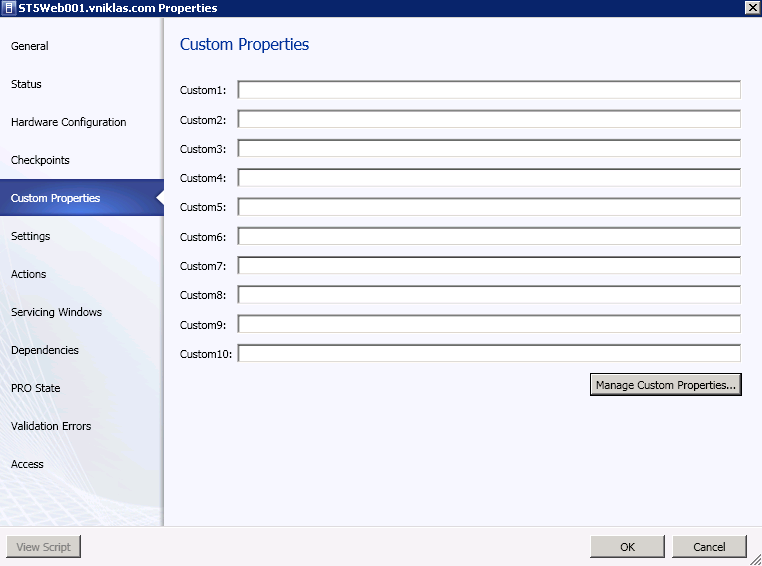
As you can see on this screen dump, by default i only have custom#, to add my own i have to click on “Manage Custom Properties”
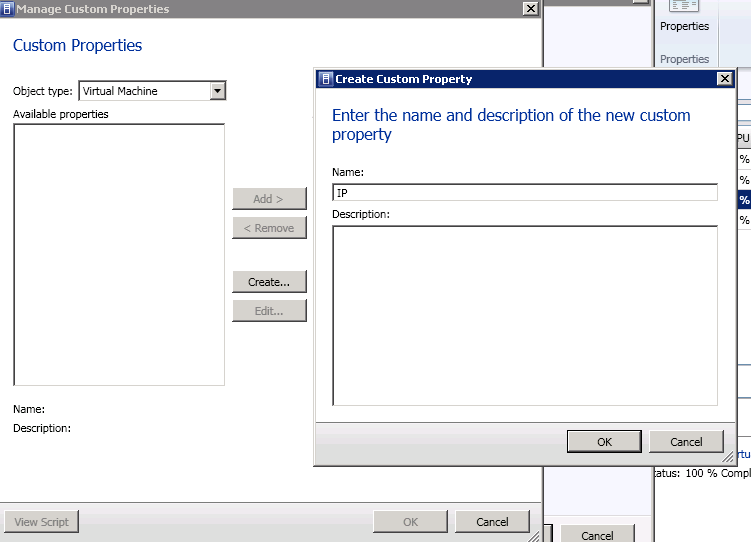
Here i press “Create” and add a name and optionally a description
Then when i have created the custom properties i want i add them,
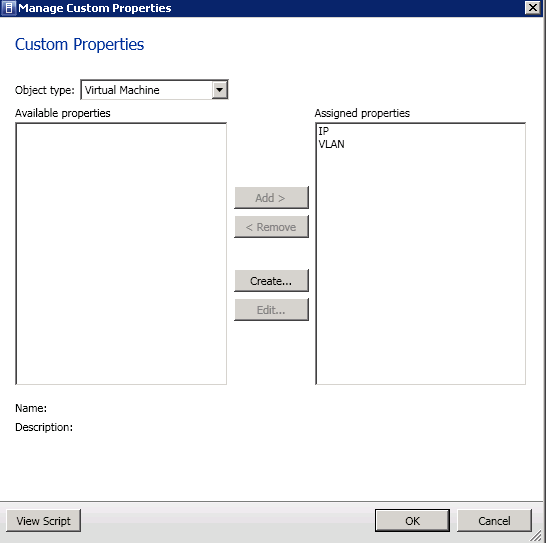
Then it looks like this,
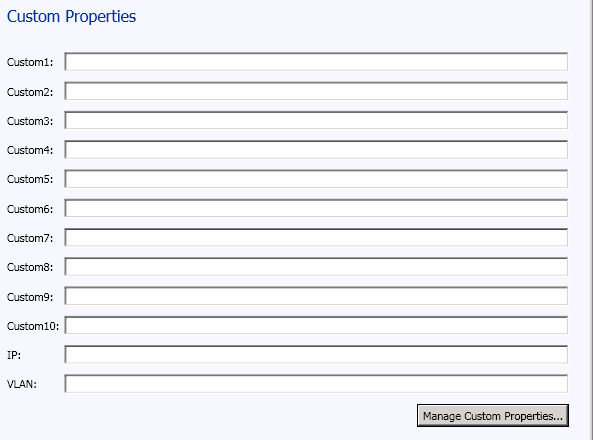
Now the powershell function comes into play when i am going to populate these fields with information.
function Set-CustomValue{
# Function to add custom data on VMs
#
# Niklas Akerlund /RTS 2012-02-18
    param (
   [Parameter(Position=0,Mandatory=$true,HelpMessage="A virtual machine pleaze",
    ValueFromPipeline=$True)]
    $VM,
	$VLANid = "",
	$IP = ""
    )
    . .\Get-IPAddress.ps1

    $VM = Get-SCVirtualMachine $VM

  	$CustomIP = Get-SCCustomProperty -Name "IP"
    $CustomVLAN = Get-SCCustomProperty -Name "VLAN"

	if ($IP -eq ""){
		$IP = Get-IPAddress -HostName $VM.Name
    }

	if ($VLANid -eq ""){
	    $VMnics = $VM | Get-SCVirtualNetworkAdapter
	    if($VMnics.Count -ne $null){
	        foreach ($VMnic in $VMnics){
	            $VLANid = $VLANid + $VMnic.VlanID + " "
	        }
	        Set-SCCustomPropertyValue -InputObject $VM -CustomProperty $CustomVLAN -Value $VLANid
	    }else{
	        Set-SCCustomPropertyValue -InputObject $VM -CustomProperty $CustomVLAN -Value $VMnics.VlanID
	    }
    }else {
		Set-SCCustomPropertyValue -InputObject $VM -CustomProperty $CustomVLAN -Value $VLANid
	}
    if($IP -ne ""){
        Set-SCCustomPropertyValue -InputObject $VM -CustomProperty $CustomIP -Value $IP
    }
}
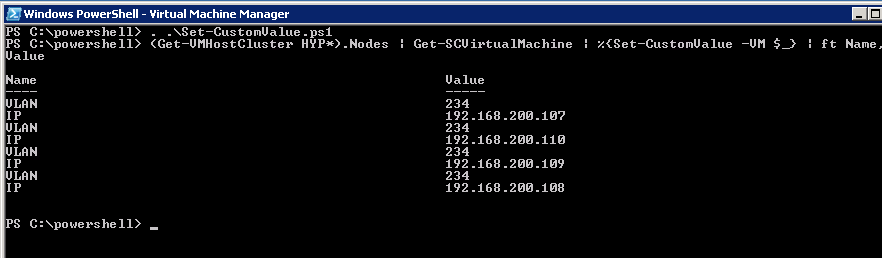
a screendump of my powershell console, as you can see I am using the (Get-SCVMHostCluster).Nodes to get all virtual machines on these, also i am using a foreach (%) to run the population on each VM.
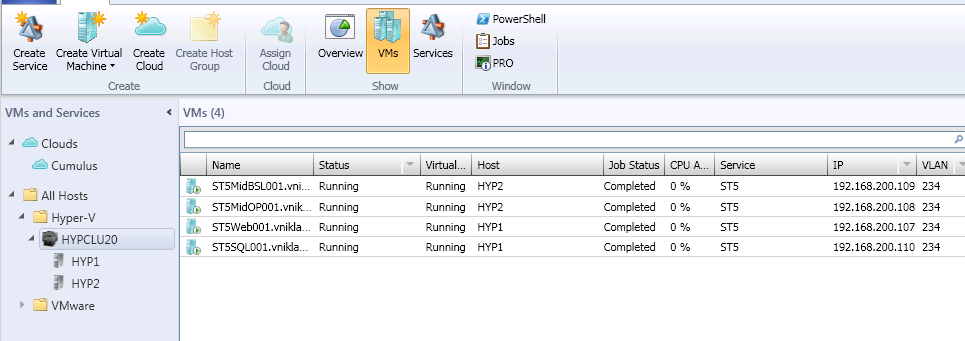
And this is how it looks in the VMM console,
Comments
Really love the idea of this but can’t get it to work. after running the command:
(Get-VMHostCluster cluster01).Nodes | Get-SCVirtualMachine | %{Set-CustomValue -VM $_} | ft Name,Value
All I get is the cursor returning to a new command prompt and no output (Errors or otherwise.)
I am fairly new to PowerShell, any tips like being able to turn on error checking to see if I have missed anything out?
Cheers
the | ft Name,Value just shows the values, the idea here is that you populate the custom properties on your SCVMM 2012 console. if you test with one VM as in Get-SCVirtualMachine XXNAME-VM | Set-CustomValue you should see on that machines properties that it has populated the custom fields.. as i write in the post you can also use the parameters for -Vlan -IP to just test that it works, this function also requires that you save the Get-IPadress function in the link.
[…] automation . Last week when I was teaching a course one of the attendes said after I showed the custom value function, that he also wanted a similar function for easy in the console check how many snapshots every VM […]
this is really great, however do you have a way to extract these custom properties for backup? I used to use an old SCVMM 2008 script but this doesn’t allow me to extract Custom Properties I have set like “server use” “License” etc (that have been manually entered) So could I run a powershell script to extract all of the metadata and reimport in case of failure?
This information is something that i populate with a scheduled task, The information is not static as the VM´s can change vlan and ip,
You should be able to do a export of VM name and custom property and then import if disaster, It is supported to do an upgrade from VMM 2008 r2 sp1 -> VMM 2012
I have followed you write up and run the scripts but it does not seem to be working. The script executes and does not give any error but nothing happens. I am running VMM2012 any suggestions?
The script does not create the custom properties, maybe you need to create it first?
Thank you for your response. I did have the custom properties set already and I am now able to get the vlan to populate for one image. I am getting the below error when running the below command any thoughts?
PS C:\Scripts> (Get-VMHostCluster communitycluster.lqnt.local).nodes | Get-SCVir
tualMachine | %(Set-CustomValue -IP $_) | ft Name, Vlaue
cmdlet Set-CustomValue at command pipeline position 1
Supply values for the following parameters:
(Type !? for Help.)
VM: vlqt-3-0021
Security Warning
Run only scripts that you trust. While scripts from the Internet can be useful,
this script can potentially harm your computer. Do you want to run
C:\Scripts\Get-IPAddress.ps1?
[D] Do not run [R] Run once [S] Suspend [?] Help (default is “D”): r
Set-SCCustomPropertyValue : Cannot validate argument on parameter ‘Value’. The
argument is null. Supply a non-null argument and try the command again.
At C:\Scripts\Set-CustomValue.ps1:73 char:85
+ Set-SCCustomPropertyValue -InputObject $VM -CustomProperty $CustomIP
-Value <<<< $IP
+ CategoryInfo : InvalidData: (:) [Set-SCCustomPropertyValue], Pa
rameterBindingValidationException
+ FullyQualifiedErrorId : ParameterArgumentValidationError,Microsoft.Syste
mCenter.VirtualMachineManager.Cmdlets.SetCustomPropertyValueCmdlet
ForEach-Object : Cannot bind parameter 'Process'. Cannot convert the "VLAN" val
ue of type "Microsoft.SystemCenter.VirtualMachineManager.CustomPropertyValue" t
o type "System.Management.Automation.ScriptBlock".
At line:1 char:81
+ (Get-VMHostCluster communitycluster.lqnt.local).nodes | Get-SCVirtualMachine
| % <<<
Also I thought this script did this for all the images running in the cluster and not just one. Am I incorrect in this thinking?
[…] to populate their VMM 2012 console with information that they think is good to have, I have made a blog post about this some time ago but now I have added some new valuable […]
@Chris Parker
Getting the same error, Vlans update fine its just the IP field.
Vlan 680
Set-SCCustomPropertyValue : Cannot validate argument on parameter ‘Value’. The argument is null. Supply a non-null
argument and try the command again.
At C:\temp\IPAddress.ps1:37 char:85
+ … ustomIP -Value $IP
+ ~~~
+ CategoryInfo : InvalidData: (:) [Set-SCCustomPropertyValue], ParameterBindingValidationException
+ FullyQualifiedErrorId : ParameterArgumentValidationError,Microsoft.SystemCenter.VirtualMachineManager.Cmdlets.Se
tCustomPropertyValueCmdlet
my version of the script. IP addresses are taken from the properties of the virtual machine:
function Set-CustomValue{
# Function to add custom data on VMs
#
# Niklas Akerlund /RTS 2012-02-18
param (
[Parameter(Position=0,Mandatory=$true,HelpMessage=”A virtual machine pleaze”,
ValueFromPipeline=$True)]
$VM,
$VLANid = “”,
$IP = “”,
$rest = “”
)
$VM = Get-SCVirtualMachine $VM
$CustomIP = Get-SCCustomProperty -Name “IP”
$CustomVLAN = Get-SCCustomProperty -Name “VLAN”
if ($IP -eq “”){
$IPs = get-vm -name $VM | Select-Object -ExpandProperty VirtualNetworkAdapters|select IPv4Addresses
foreach ($ip in $IPs.ipv4addresses){
$rest = $ip + ‘ ‘ + $rest
}
}
if ($VLANid -eq “”){
$VMnics = $VM | Get-SCVirtualNetworkAdapter
if($VMnics.Count -ne $null){
foreach ($VMnic in $VMnics){
$VLANid = $VLANid + $VMnic.VlanID + ” ”
}
Set-SCCustomPropertyValue -InputObject $VM -CustomProperty $CustomVLAN -Value $VLANid
}else{
Set-SCCustomPropertyValue -InputObject $VM -CustomProperty $CustomVLAN -Value $VMnics.VlanID
}
}else {
Set-SCCustomPropertyValue -InputObject $VM -CustomProperty $CustomVLAN -Value $VLANid
}
if($IP -ne “”){
Set-SCCustomPropertyValue -InputObject $VM -CustomProperty $CustomIP -Value $rest
}
}
running
cd C:\powershell
Import-Module .\Set-CustomValue.ps1
(Get-VMHostCluster hypervfarm1).Nodes | Get-SCvirtualMachine | %{Set-CustomValue -VM $_} | ft Name,Value