Of course I would rather have all my hosts in my System Center VMM 2012 SP1 but if I do not, or I just as an ITPro admin want to check if there are some new Hyper-V servers out there in my Active Directory and if they have VM´s on them I can use PowerShell.
I have looked at Ravikanth´s blog and done some modifications, also I am using the Win2012 and Powershell v3.
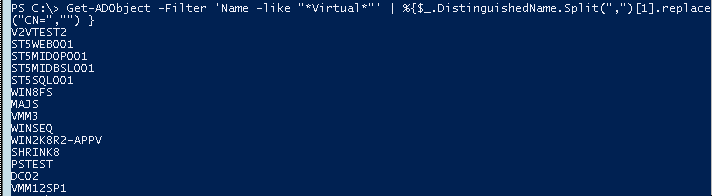
I can with the following powershell cmd get all hyper-v virtual machines in my Active Directory (of some reason the VMware machines do not get registered in the AD as virtual machines). With powershell version 3 it autoloads the Active Directory Module, this requires though that I have the feature RSAT-AD-PowerShell installed, easily done with Get-WindowsFeature RSAT-AD-PowerShell | Add-WindowsFeature.
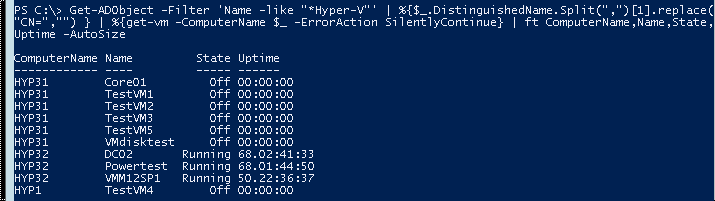
I cannot do so much more with this information, what I want is to check a list of Hyper-V servers and also try to get the VM´s on them, sadly only win2012 servers can interact with the hyper-v powershell module and give that info, but hey whom has win 2008 r2 hyper-v servers 😉
This first query gives me all Hyper-V servers in the domain, 2008->2012
I am working in a project that want to get performance data from remote servers, this with WMI, the servers belong to an Active Directory but the user collecting is not allowed to be an administrator (As an Administrator this is easy because then you already are in control and in the right groups)
So How do I fix this with preferably PowerShell, Scripting Guy has made a post about how to add users to local groups and Steve Lee on the MSDN WMI Blog has made a post how to add permissions on WMI so I have combined them and got the solution I want.
The groups I am interested in on the remote computer are “Distributed COM Users”,”Performance Monitor Users”, to be able to connect and get monitoring data
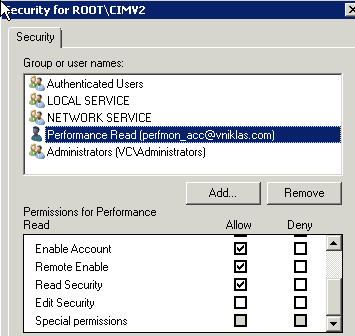
To get it from the WMI interface I need some permissions there, I only grant read permissions on the root/CIMv2 subtree.
And here is the Powershell that does it, In the screendump you can see that I can use a foreach loop to set the permissions on several computers
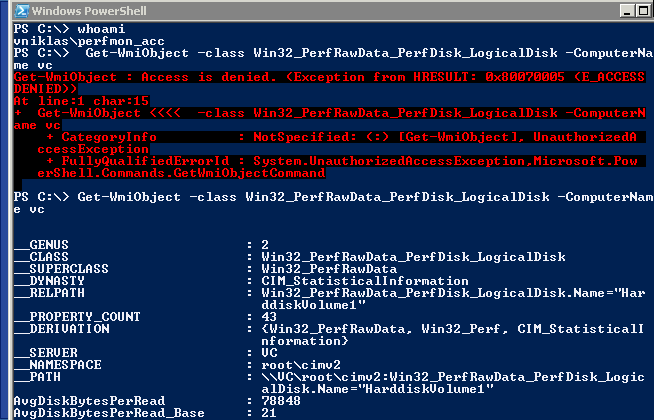
To check that I can get the performance data I can use the powershell cmdlet Get-WMIObject , as you can see in the screendump, in the first test I do not have the permissions set but in the second it works..
Here are the functions
Set-UserLocalGroup
# Add/Remove user from local group
#
# Niklas Akerlund/Most code from Scriptingguy Blog http://blogs.technet.com/b/heyscriptingguy/archive/2010/08/19/use-powershell-to-add-domain-users-to-a-local-group.aspx

Function Set-UserLocalGroup
{
	[cmdletBinding()]
	Param(
	[Parameter(Mandatory=$True)]
	[string]$Computer,
	[Parameter(Mandatory=$True)]
	[string]$Group,
	[Parameter(Mandatory=$True)]
	[string]$Domain,
	[Parameter(Mandatory=$True)]
	[string]$User,
	[switch]$add,
	[switch]$remove
	)


	$de = [ADSI]"WinNT://$Computer/$Group,group"
	if($add){
		$de.psbase.Invoke("Add",([ADSI]"WinNT://$Domain/$User").path)
	} elseif ($remove){
		$de.psbase.Invoke("Remove",([ADSI]"WinNT://$Domain/$User").path)
	}

}
Set-WmiNamespaceSecurity, there was an error in the original code that I have corrected based on the comments, this error caused the function to always run on the local computer instead of the remote when using the -computer parameter.
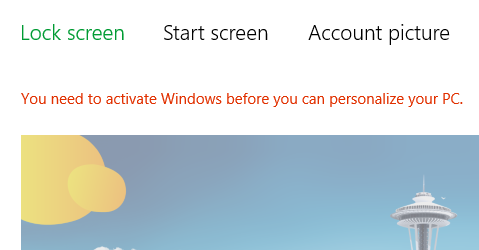
I have installed and configured my Win 8 Enterprise but did not enter any key when I was deploying. Now when I wanted to do some customization I saw this.
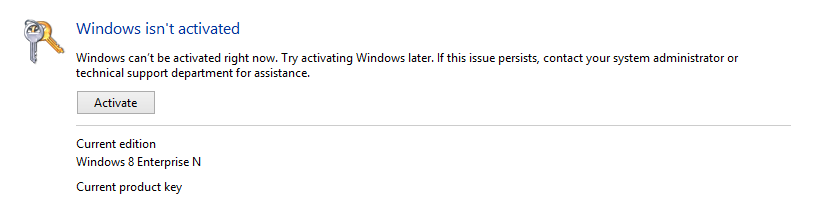
Well ok, I tried to activate but got this error,
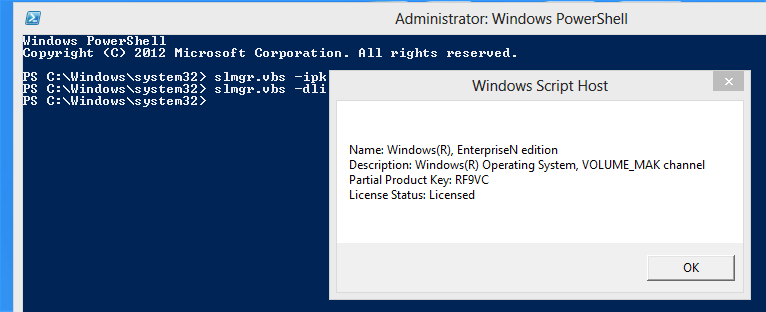
In the GUI there was no way like in win 7 to enter a new product key, so I had to use the slmgr.vbs script. Why have not Microsoft developed this function in powershell instead?
What you will realize is that you need to run it in an elevated powershell or cmd console.
slmgr.vbs -dli <- this shows the product key that you have now
slmgr.vbs -ipk 0000-0000-0000-0000 <- Installs the product key
Now I have an activated Windows 8 client with a valid license 🙂
At the MMS 2012 I had the opportunity to write the beta exam 71-246, Monitoring and Operating a Private Cloud with System Center 2012. This exam was released during the summer as 70-246
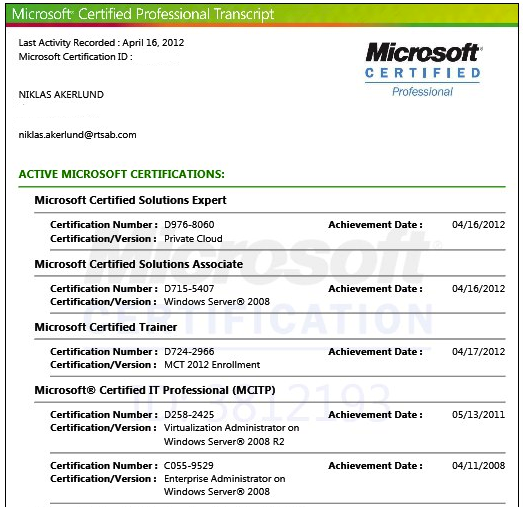
As my earlier post announced I could see on the Prometric site that I passed, but the MCP site did not reflect this and I waited quite a while but nothing happend, so I sent in a support request and now after a week I got a mail that they have solved the transfer from Prometric.
Here is a screendump of my certification transcript 🙂 and watch the date of achievement..
Good luck you other guys in achieving MCSE Private Cloud!
There is a new version of the vKernel Server Explorer that has a Environment Explorer view, this can handle multiple hypervisors (current support is Hyper-V, VMware vSphere and RHEV). The tool gives you as an administrator or consultant the insight in the environment and can give you answers if there are some issues and if you are running out of capacity.
The software is packed as an OVF and imported into your vSphere environment, as the vOPS server Readme text file describes there will also be an Hyper-V appliance that will be importable into an Hyper-V host and that with an collector for Hyper-V, do not know when that will be released though.
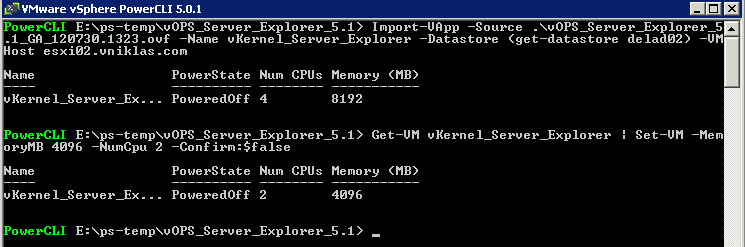
I have imported it with PowerCLI and then edited the vCPU to 2 instead of 4 and memory to 4 GB instead of 8 because my lab machines has limited resourses, It is really easy to deploy as you can see.
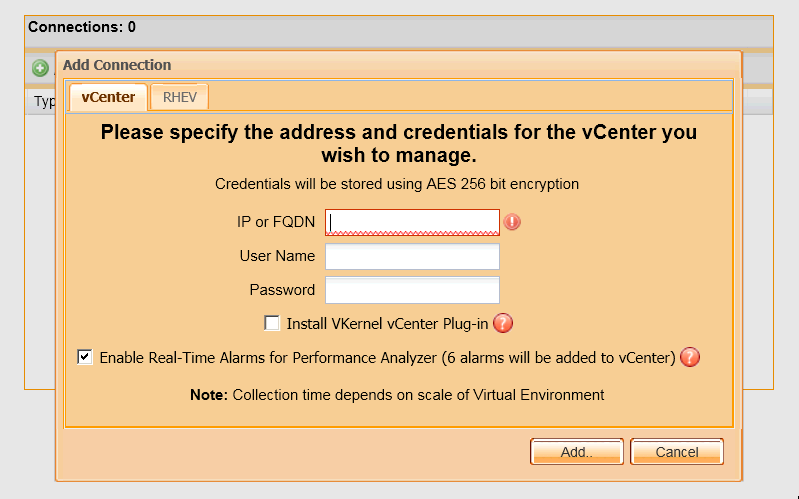
After import and configure I start it and then use a browser to the IP adress and configure, with this current version I can only add vSphere vCenter and RHEV
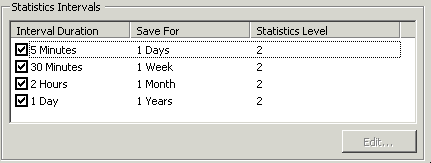
To add a vCenter I have to set the vCenter statistic level to at least 2 on all intervals
When that is done I successfully add the vCenter to the Server Explorer
With this you get three free tools in one, Environment Explorer, vScope Explorer and SearchMyVM Explorer that all can help you get the initial info you need. and If you want you can activate a free vOPS trial to extend the functionality.
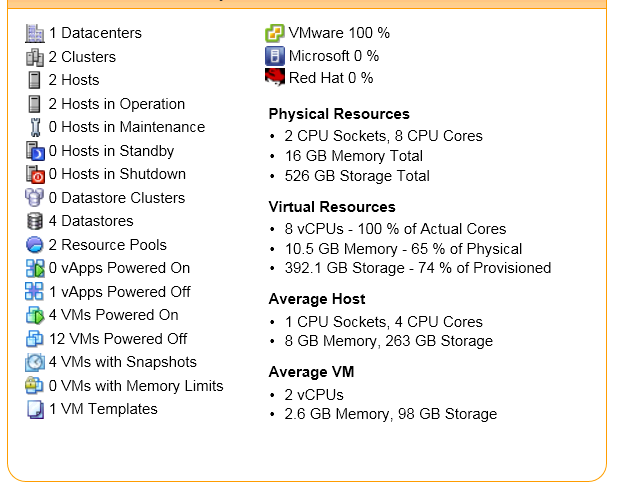
In my small test/lab environment it looks like this